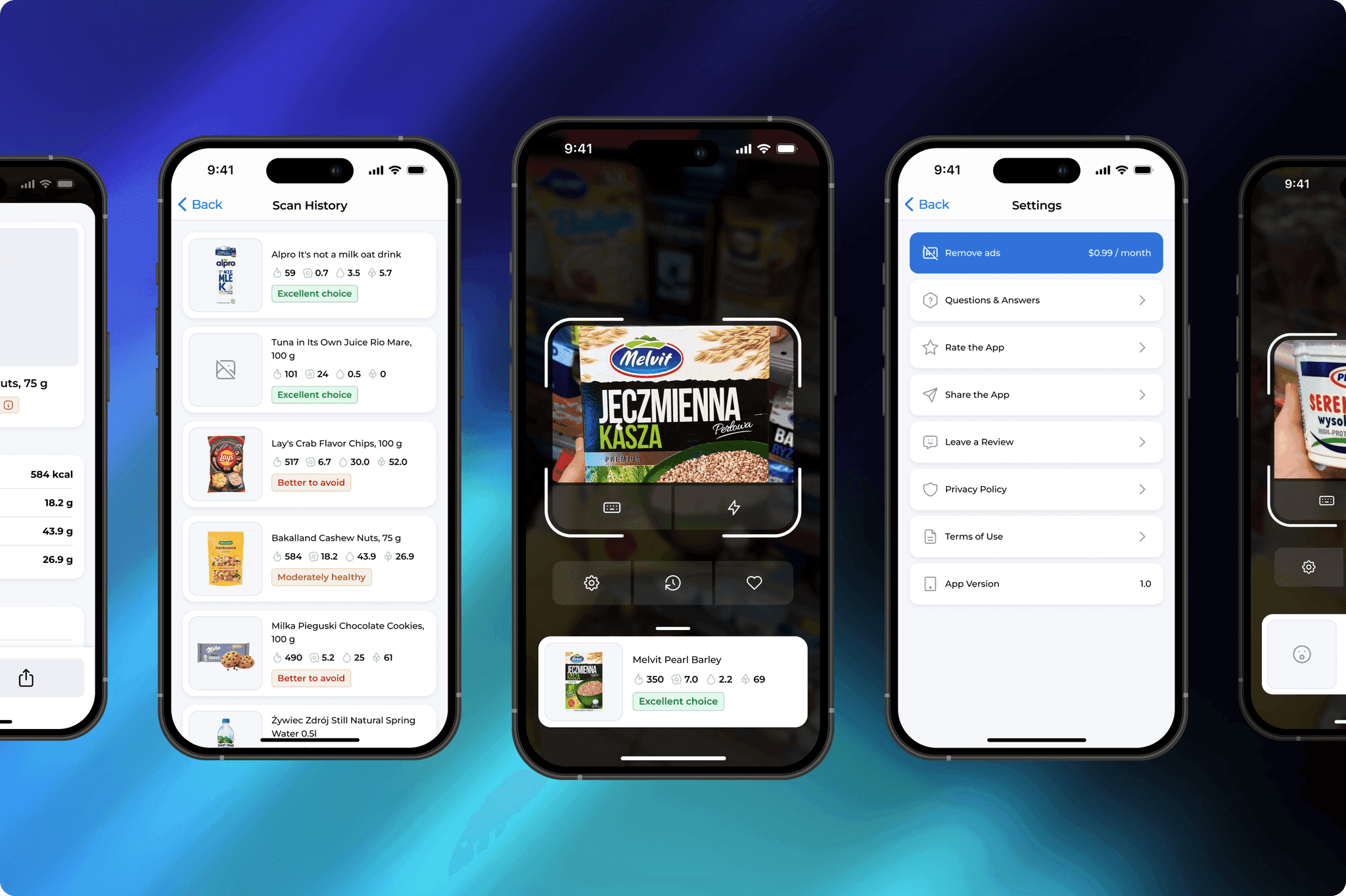
Mobile App
Food Barcode Scanner
An app that helps people make smarter food decisions by instantly revealing what’s inside every product.
Role: UX/UI Designer
Scope: UX Research, User Flow, Wireframes, UI Design, Prototyping,
Developer Handoff
Platform: iOS
01
Project Overview
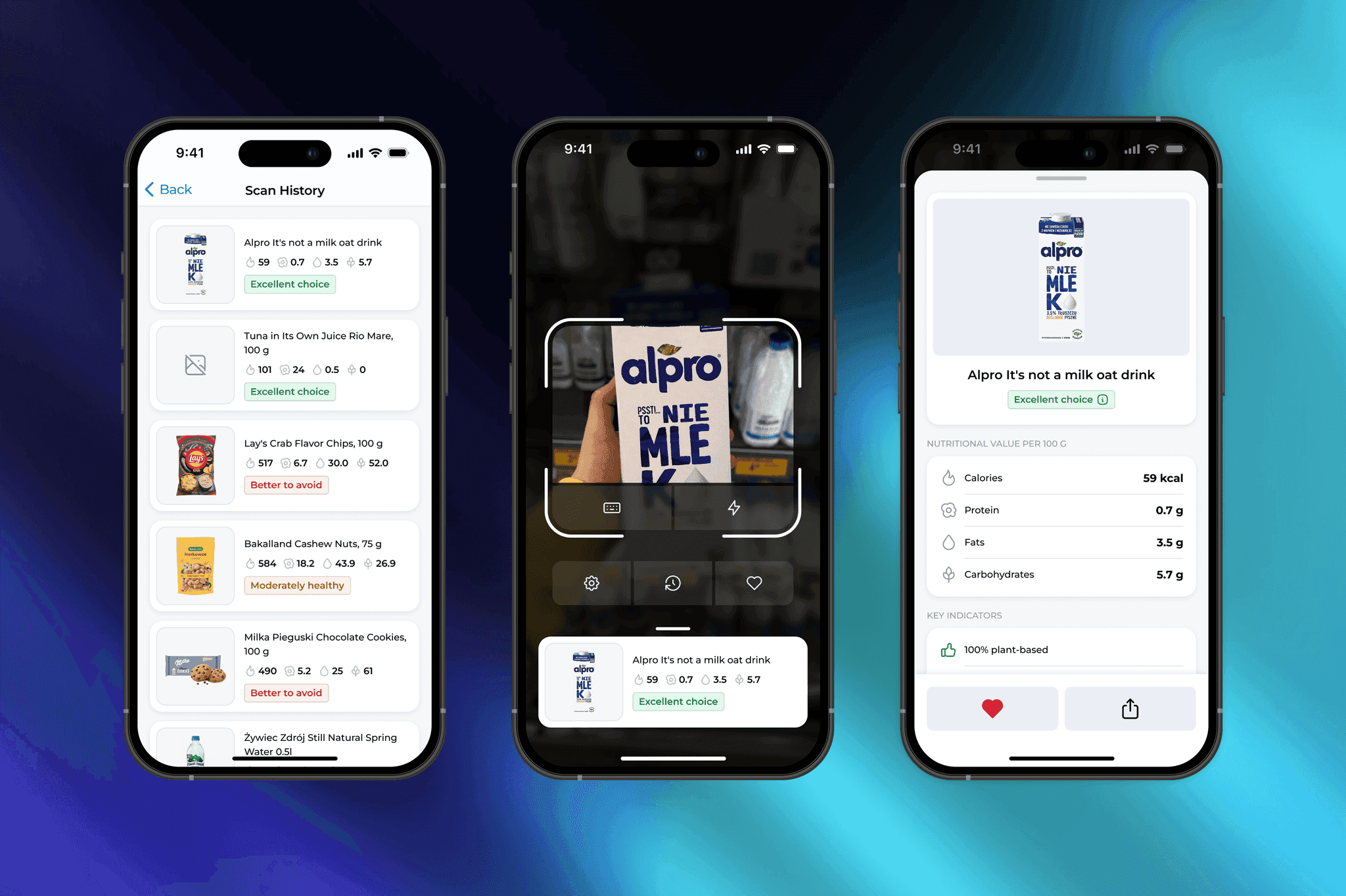
A mobile app that helps users understand what’s inside their food.
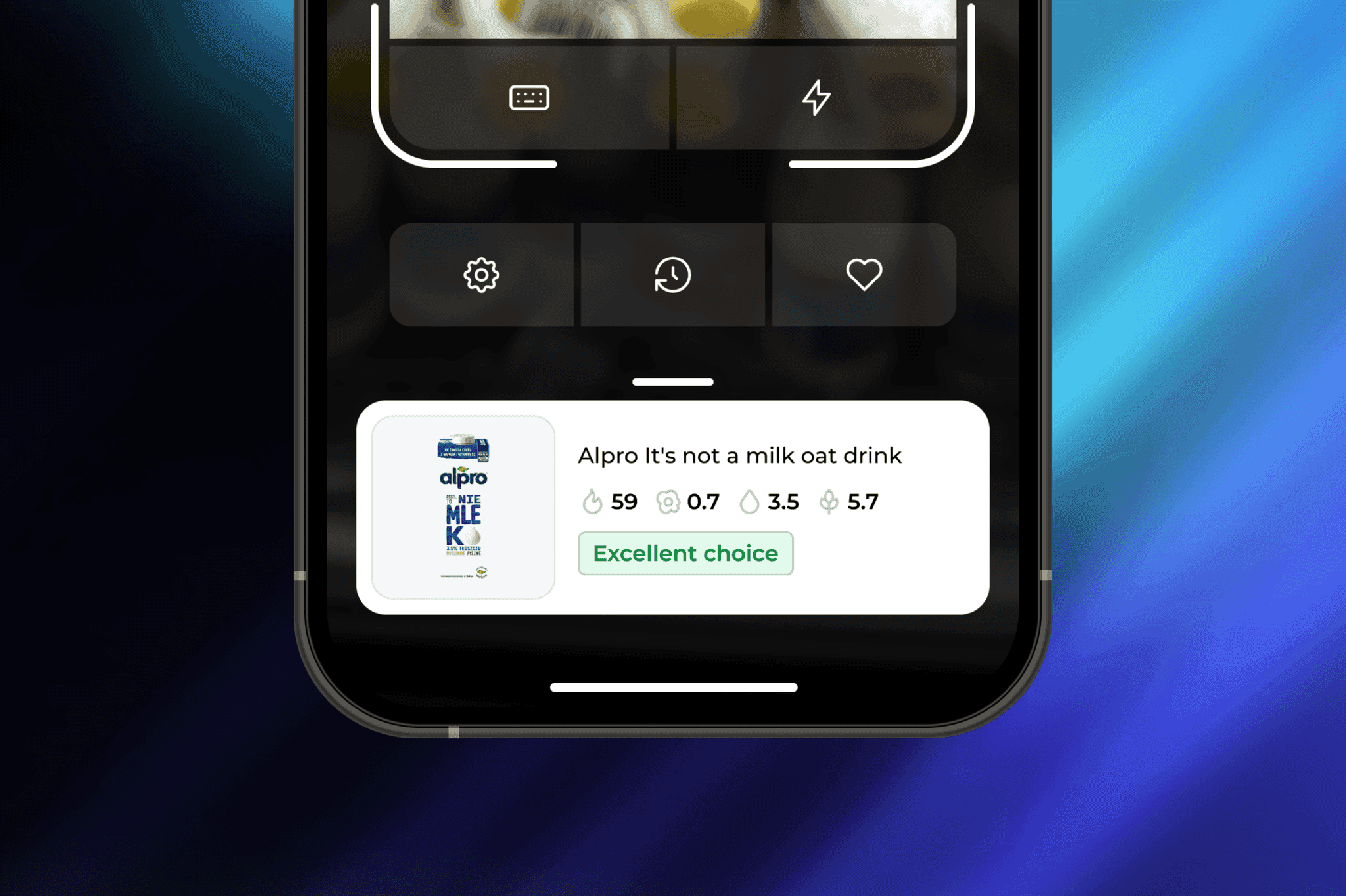
By scanning a barcode or entering a product code, the app shows nutrition data, allergens, and an AI-generated verdict: Good choice, Neutral, or Negative.
The goal was to make an app that feels simple, smart, and trustworthy.
02
Visual Direction
The interface is clean and calm. Soft neutral colors, balanced typography, and simple iconography make the experience feel natural and light.
Color coding helps users instantly identify the product verdict: green for healthy, yellow for moderate, red for unhealthy.
03
Research & UX Foundation
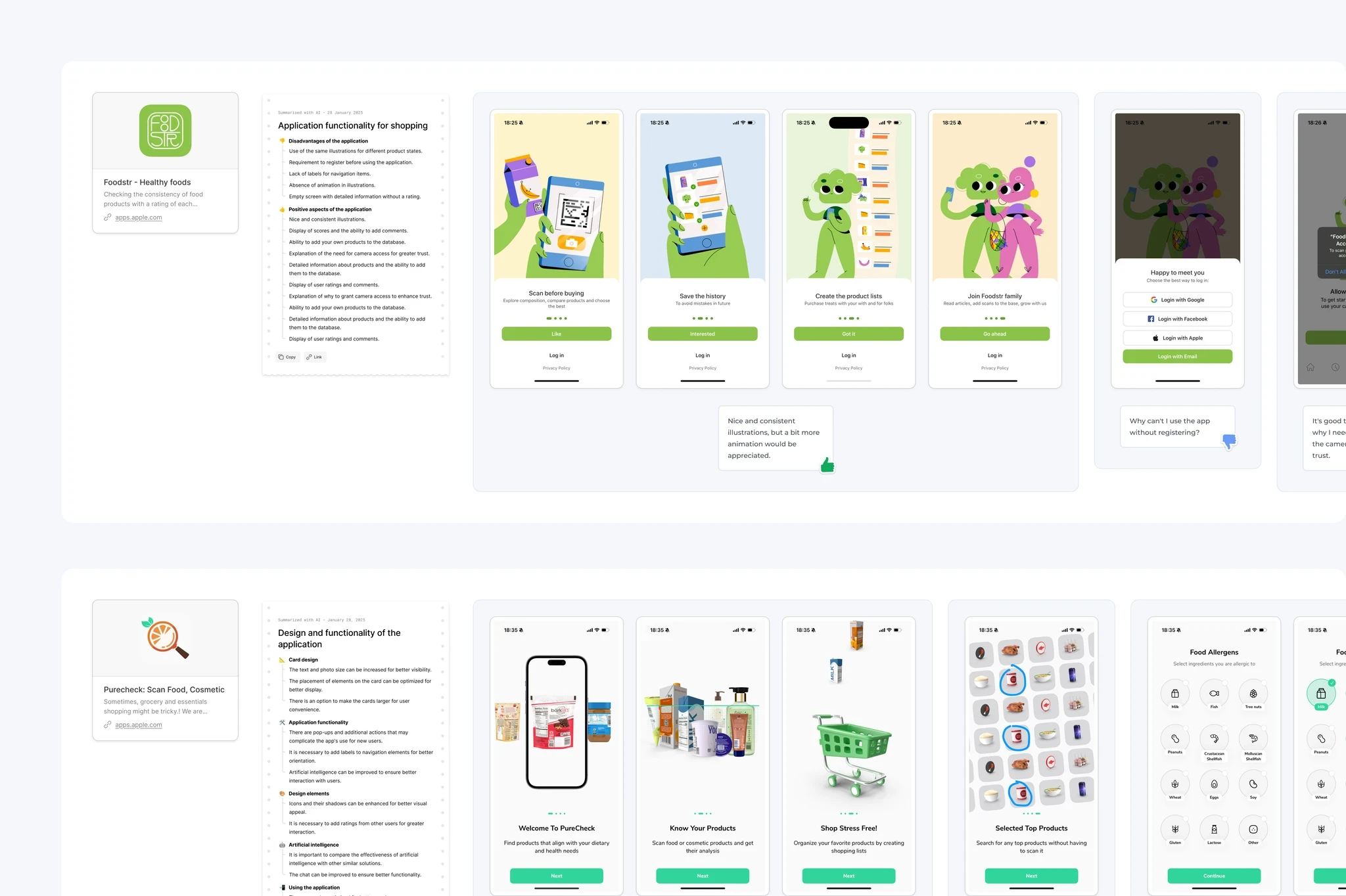
At the early stage, I explored how people interact with food analysis apps and what frustrates them most.
I analyzed competitors like Foodstr, PureCheck, and NutriScore Scan to understand their strengths and usability gaps.
Based on the findings, I built a simple user flow focused on fast scanning and clear data visualization.
A moodboard helped define the calm, trustworthy visual tone, while initial sketches allowed me to test different layout options before moving into the final design.
04
UI Design
Each screen is designed to highlight key data and stay consistent.
The main screen focuses on scanning and history, while the detailed view displays nutrition, allergens, and ingredients clearly.
Smooth transitions and light animations create a feeling of speed and precision.
04/01
Add to Favourites
Users can quickly save scanned products to favourites for later. The action feels instant and smooth, adding a simple moment of delight.
04/02
Enter Code Manually
When scanning isn’t possible, users can type the product code instead. The flow is clear, fast and easy to use anywhere.
04/03
Settings
A clean screen with quick access to app info and actions like removing ads, sharing, or rating. Simple, minimal, consistent. The layout stays minimal and consistent with the overall UI.
05
Design Components
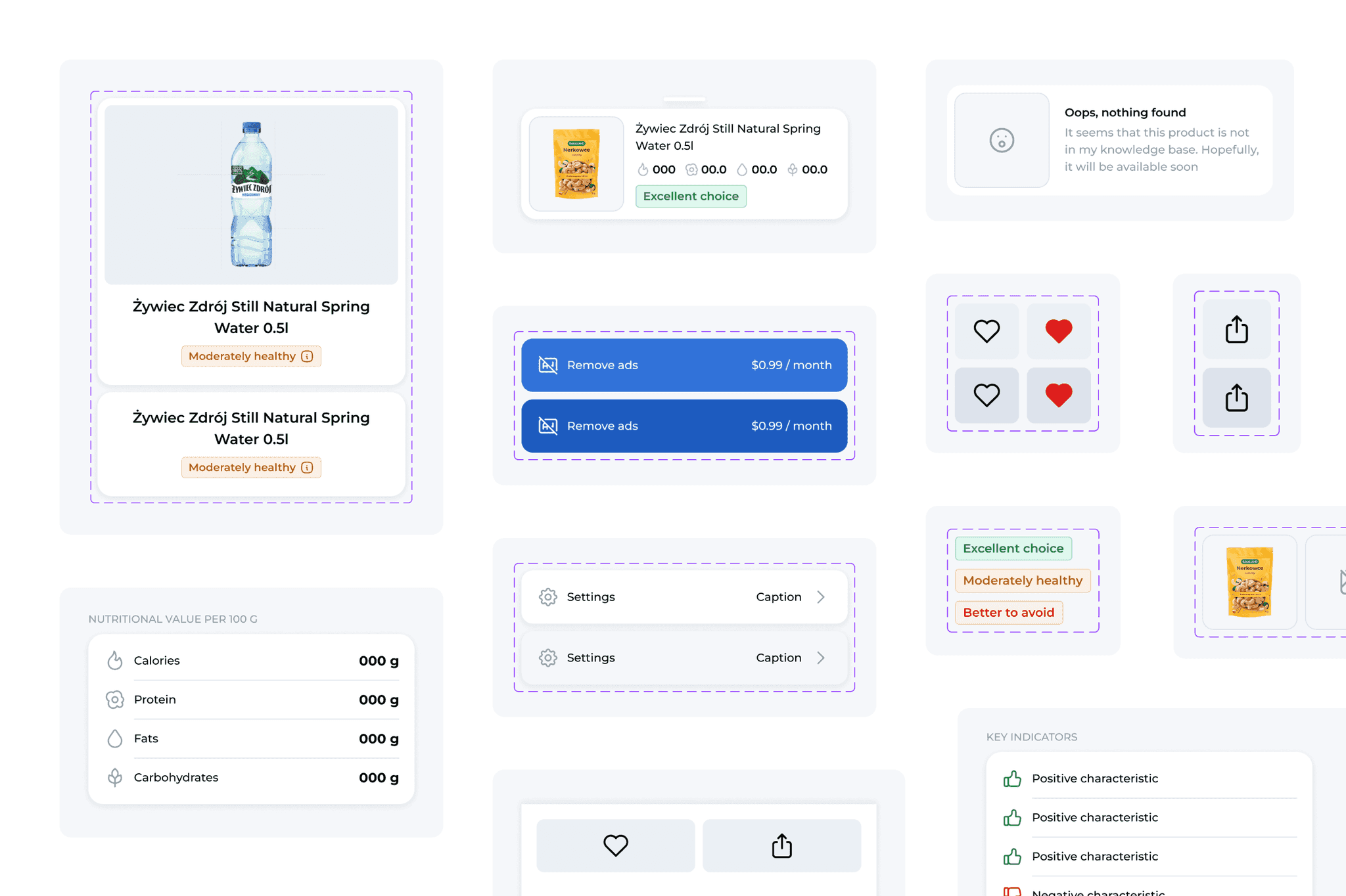
The interface is supported by a compact and well-structured UI Kit created for this MVP version. It includes color tokens, text styles, and spacing rules that keep the layout clear and consistent.
All elements were designed to stay flexible and easy to reuse, from product cards and alerts to navigation bars and action buttons.
The components follow iOS patterns and keep the app clean, simple and ready to scale in future updates.
06
Interactive Prototype
A clickable prototype demonstrates the full user journey, allowing users to scan items, check verdicts, and save products for later. It brings the app to life by showing how each step flows naturally, making interactions intuitive and the overall experience seamless.
07
Outcome
This project combines carefully structured UX with a calm, polished, and visually appealing UI design. Every element is thoughtfully crafted to create a seamless and enjoyable user experience.
The result is an app that feels intuitive, informative, and consistent, guiding users effortlessly through its features. Its design balances functionality with aesthetics, making interactions feel natural and satisfying.
By focusing on clarity and simplicity, the app helps users make better choices quickly, providing essential information in a few well-designed screens without overwhelming them. Every detail contributes to an overall sense of confidence and ease while using the app.